
Restart your Samsung dishwasher by cutting power for 60 seconds or pressing Start/Cancel for 3–5 seconds.
I’ve worked on dozens of dishwashers and helped many owners learn how to reset my samsung dishwasher safely and easily. This guide shows clear steps for power resets, control-panel resets, model-specific tips, and when a reset won’t fix the problem. Read on for hands-on advice, simple checklists, and things I learned the hard way so you can get your dishwasher running again with confidence.

Why reset a dishwasher and when to try it
A reset clears temporary faults and can fix frozen displays, odd error lights, or stalled cycles. Knowing how to reset my samsung dishwasher saves time. It also stops needless service calls for simple glitches. Try a reset when the machine is unresponsive, shows a generic error, or won’t start. If the problem keeps coming back, the reset only reveals an underlying issue that needs more work.
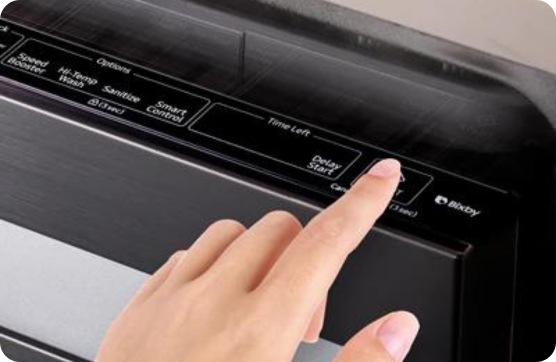
Three reliable ways to reset a Samsung dishwasher
Here are the main reset methods. Use them in order from least to most intrusive.
- Control-panel reset
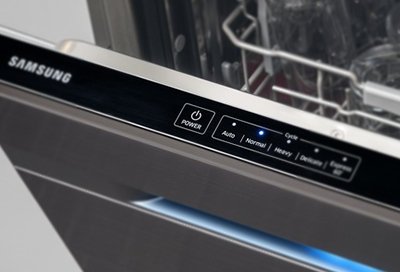
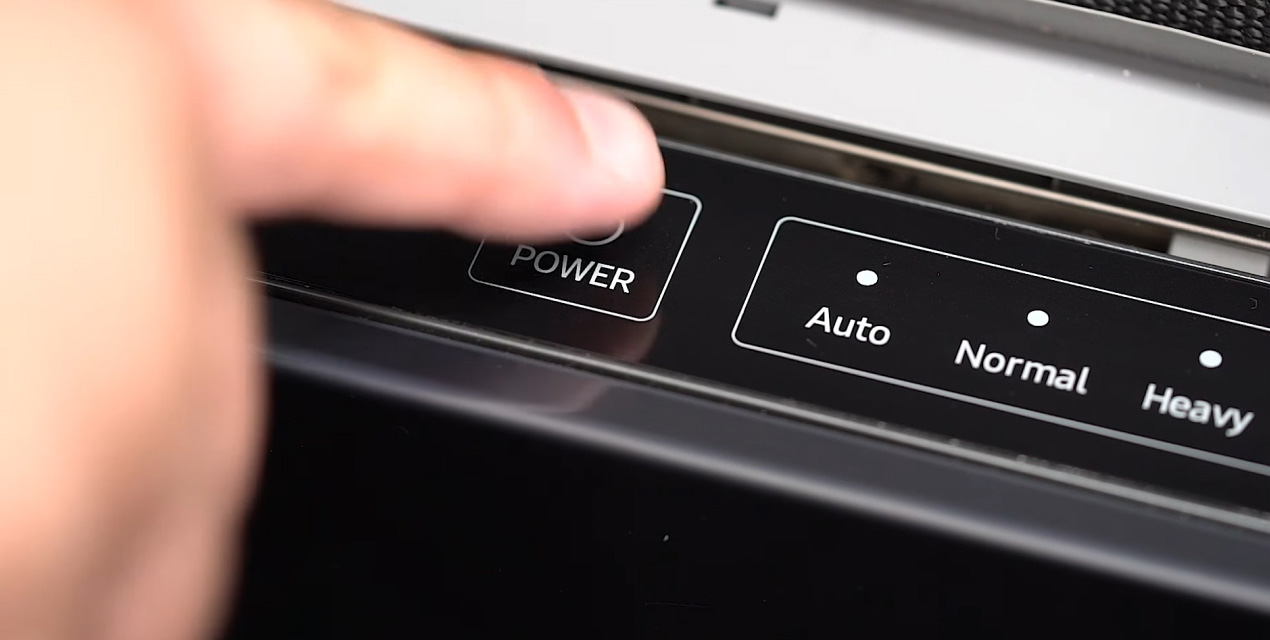
- Press and hold the Start/Resume or Start/Cancel button for 3–5 seconds.
- Wait for the lights to flash or the display to clear.
- If it restarts, run a short rinse to check function.
- Power-cycle reset
- Turn the dishwasher off at the power switch or the breaker.
- Wait 30–60 seconds to let capacitors discharge.
- Turn power back on and start a cycle.
- Full factory reset (use only if needed)
- Consult your model manual for exact steps. This often clears settings and saved programs.
- Use factory reset only if control-panel and power-cycle resets fail.
These methods cover most situations when you need to know how to reset my samsung dishwasher. If a control-panel reset doesn’t work, the power-cycle reset usually does.
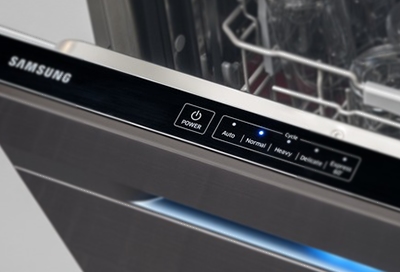
Model variations and child-lock notes
Samsung offers many models. Exact buttons and icon names vary. That said, the reset ideas are the same. If a model has a child-lock, it can stop buttons from responding. To check:
- Look for a child-lock icon or a labeled button.
- Press and hold that button for 3–5 seconds to toggle lock off.
- If the panel stays blank, try the power-cycle reset next.
If you use the SmartThings app, you may be able to send a reset or refresh command through the app for Wi‑Fi models. Always follow the model guide if you have concerns about losing settings when you reset. These tips will help you understand how to reset my samsung dishwasher across different versions.

Common error lights and what a reset can fix
A reset often clears temporary error codes. Here are common situations where a reset helps:
- Frozen control display or unresponsive touch keys: reset usually fixes this.
- Interrupted cycle after a power surge: power-cycle reset restores normal operation.
- Minor fill or drain errors caused by momentary blockages: clearing the code after fixing the blockage may allow a restart.
If the same error comes back right after you reset my samsung dishwasher, take the error code seriously. Clean filters, check the drain hose, and ensure the water inlet valve is working before running another reset.
When a reset won’t solve the problem
Resetting is a good first move. But do not rely on it for hardware faults. Call a pro if you see:
- Persistent leaks or large puddles.
- Strange grinding or loud mechanical noises during cycles.
- Repeating error codes after multiple resets.
- The dishwasher won’t fill or drain even after checking hoses and filters.
In those cases, reset only helps to confirm the issue. It does not replace proper diagnosis and repair.

Safety tips before you reset
Safety first. Follow these quick rules when you reset:
- Turn off power at the breaker for full safety when you inspect inside.
- Unplug the appliance if you can access the plug safely.
- Keep hands and tools away from moving parts when testing a cycle.
- Avoid water on the control panel while powering on or off.
These small steps protect you and the dishwasher when you attempt to reset my samsung dishwasher.
My real-world tips and lessons learned
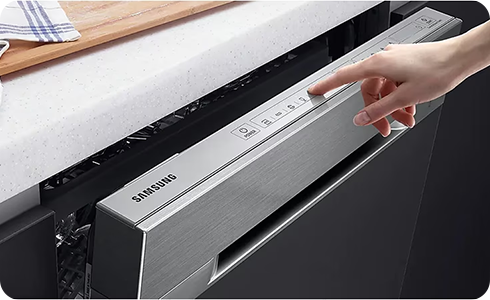
I once helped a neighbor who had an unresponsive Samsung panel. We first tried the Start/Cancel hold. No luck. A breaker flip fixed it. Lesson learned:
- Try the simplest reset first.
- Wait a full minute after cutting power before restoring it.
- Clean the filter and check hoses while the unit is off. This often prevents repeat errors.
- Keep the manual or model number handy. It speeds up finding the right reset for your model.
I recommend keeping a small checklist by your dishwasher with the reset steps. It saves time and stress when things go wrong.
Frequently Asked Questions of how to reset my samsung dishwasher
How long should I hold the Start/Cancel button to reset?
Hold the Start/Cancel or Start/Resume button for 3–5 seconds. Release when the lights flash or the display clears.
Will resetting delete saved settings or Wi‑Fi connections?
A simple control-panel reset usually preserves settings and Wi‑Fi. A full factory reset may remove saved preferences and require re-pairing.
My dishwasher still shows an error after resetting. What next?
Check filters, drain hose, and water supply. If the error persists, record the code and call a technician for diagnosis.
Can I reset my Samsung dishwasher using the SmartThings app?
Some Wi‑Fi models allow remote commands through the SmartThings app. Check your model’s app options before attempting a remote reset.
Is it safe to cut power at the breaker to reset the dishwasher?
Yes. Turning off the breaker for 30–60 seconds is a safe way to perform a full power-cycle reset. Always ensure the unit is unplugged or the breaker is off before you inspect internal parts.
Conclusion
Resetting is a quick and effective first step for many Samsung dishwasher issues. Use a control-panel reset first, then try a power-cycle, and reserve factory resets or service calls for persistent faults. With the right steps and safety checks, you can handle most small glitches yourself. Try the simple resets listed here, keep a model checklist nearby, and leave complex repairs to a trained technician. If this guide helped, try these fixes and share your experience or questions below.